


What you get
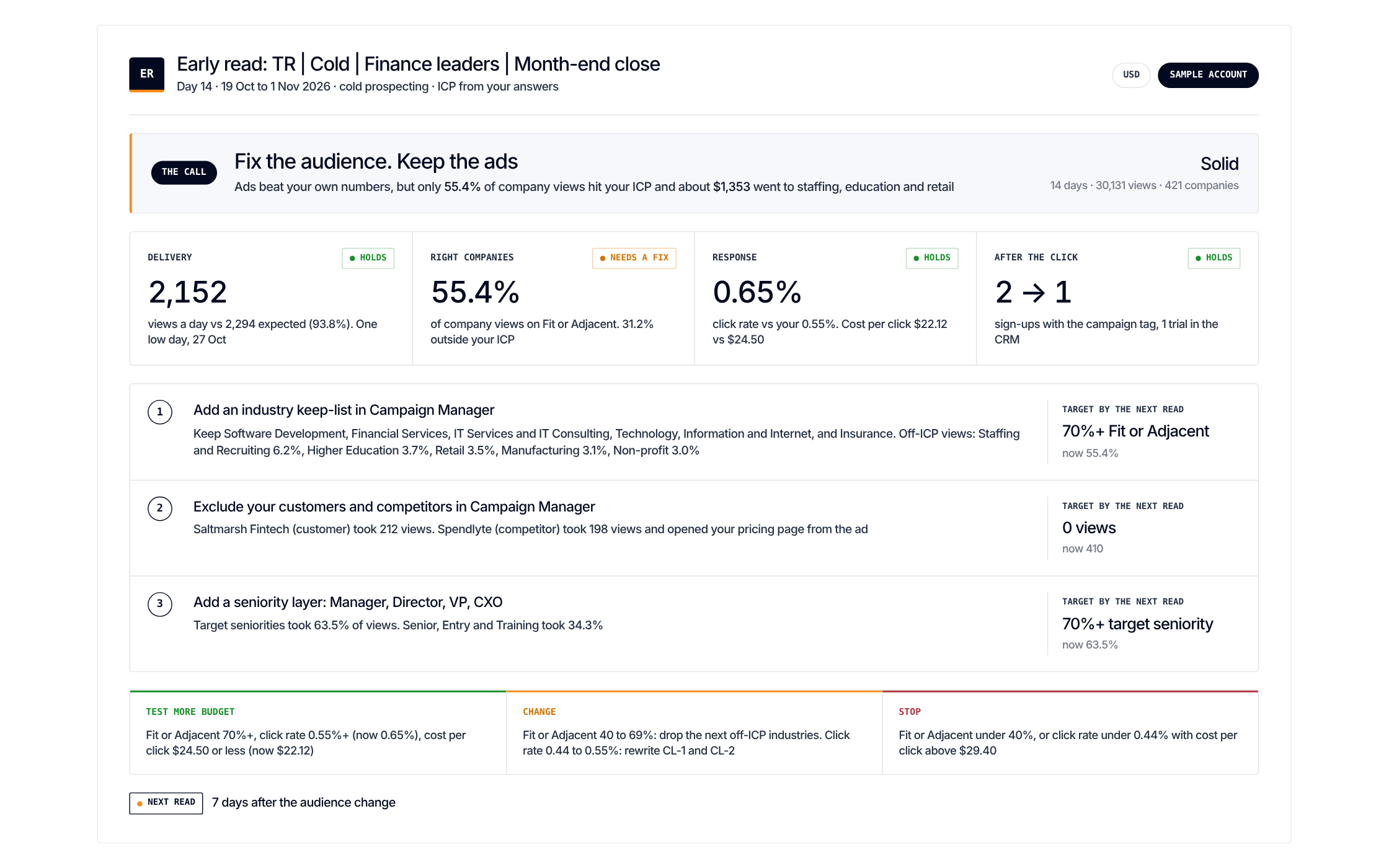
One call, before conversions exist. And up to three fixes for the next read
Get it
Paste one prompt. It only recommends and changes nothing
Load the LinkedIn Campaign Early Read scenario from https://github.com/demandsense-labs/linkedin-ads-skills/tree/main/linkedin-campaign-early-read and run it on the exports I’ve attached.Load the LinkedIn Campaign Early Read scenario from https://github.com/demandsense-labs/linkedin-ads-skills/tree/main/linkedin-campaign-early-read and run it on my DemandSense workspace. Pull the data through the connector rather than asking me for exports.Rather not paste it? Install it instead
Add it to Claude Code once and call it by name on any export
/plugin install linkedin-ads-skills --marketplace demandsense-labs/linkedin-ads-skillsRead the source on GitHub Skill folder on GitHub
How it runs
5 steps, in order. Each one applies a rule of the Standard, and stops the run when the data can’t carry it
-
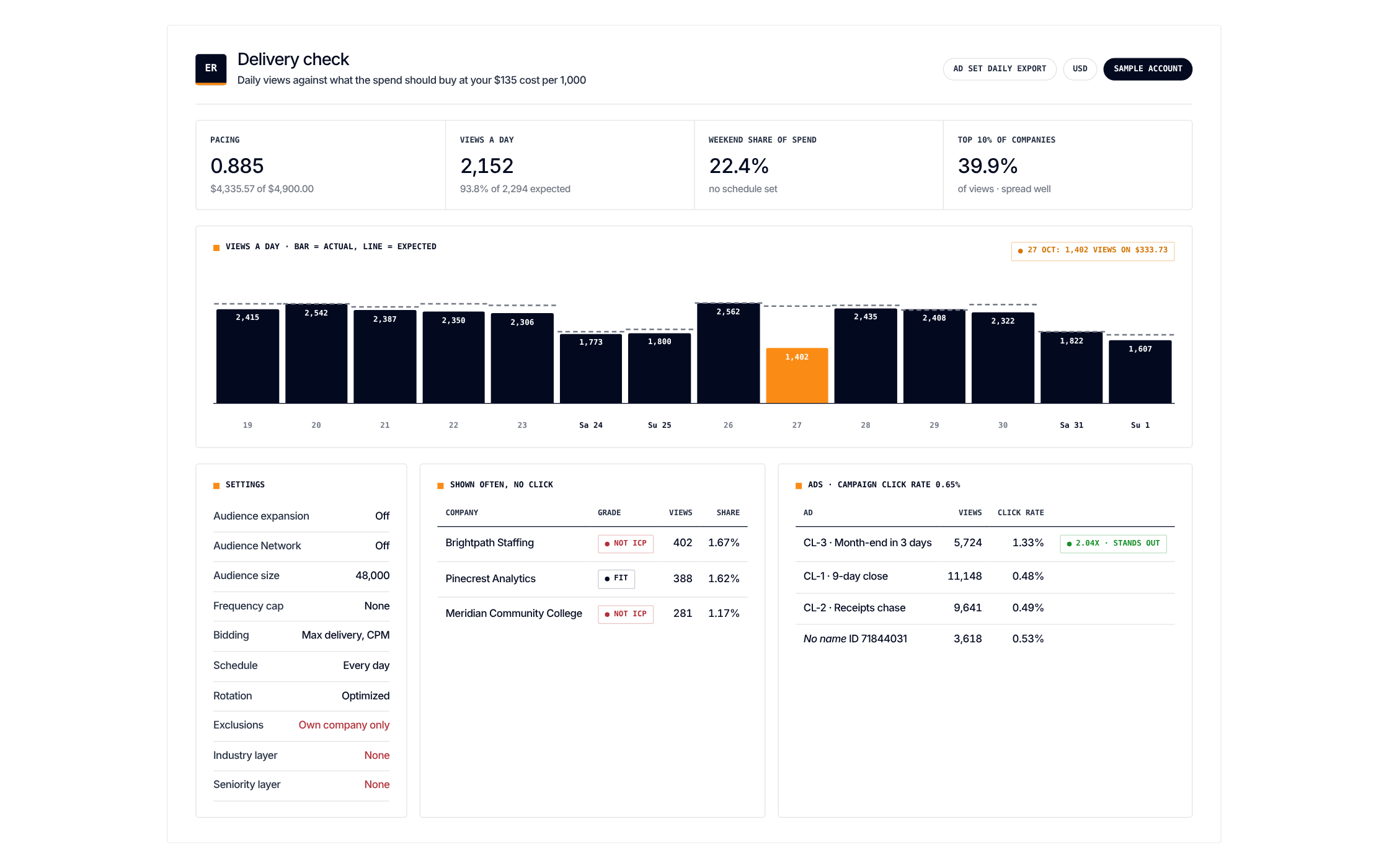
Delivery check
Spend against budget, impressions and clicks against your usual rates, for the days since launch.
-
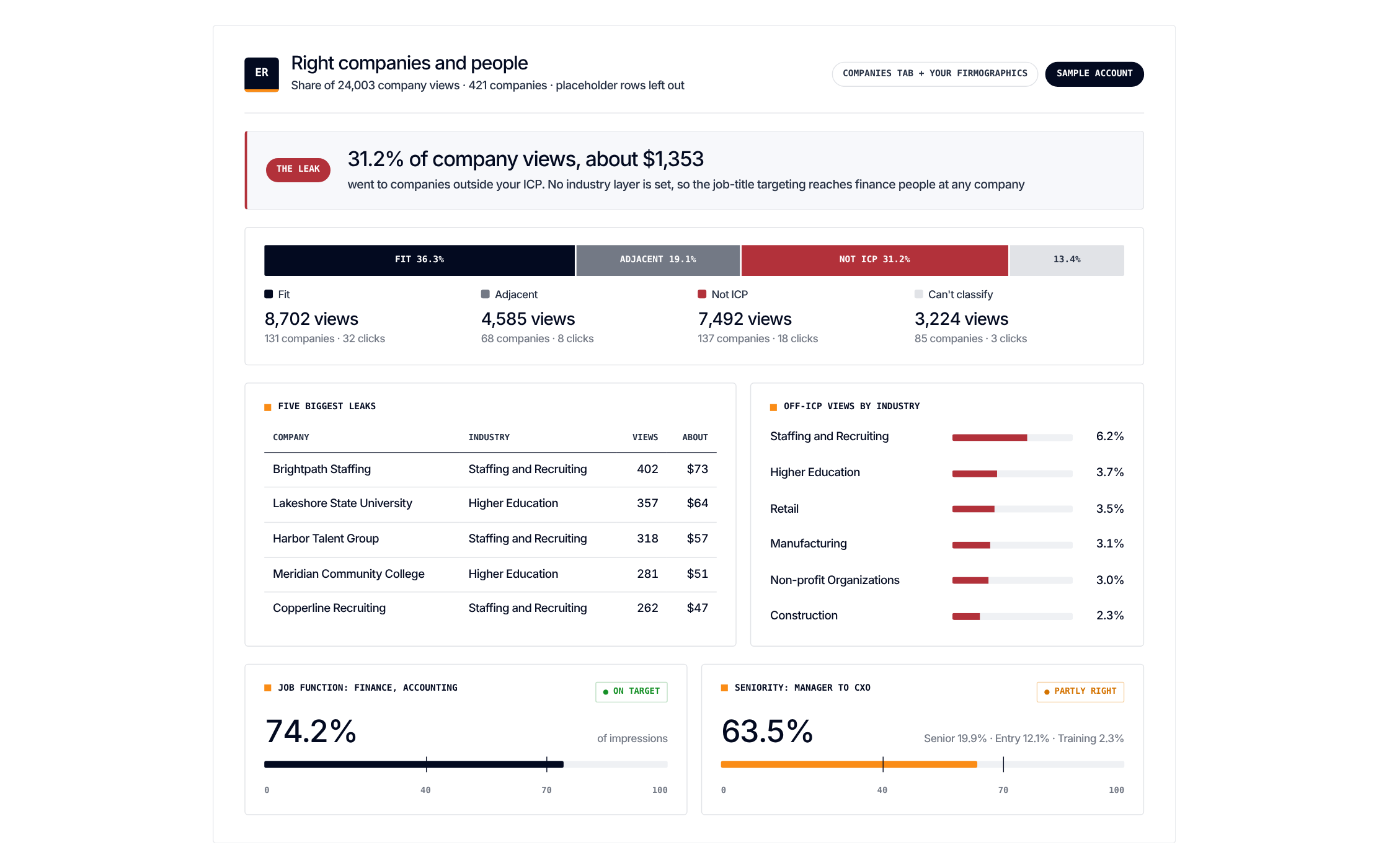
Company fit
The companies reached against your ICP, and the share of spend that went to companies outside it (the dollar leak).
-
People fit
The Demographics report against who the campaign was meant to reach.
-
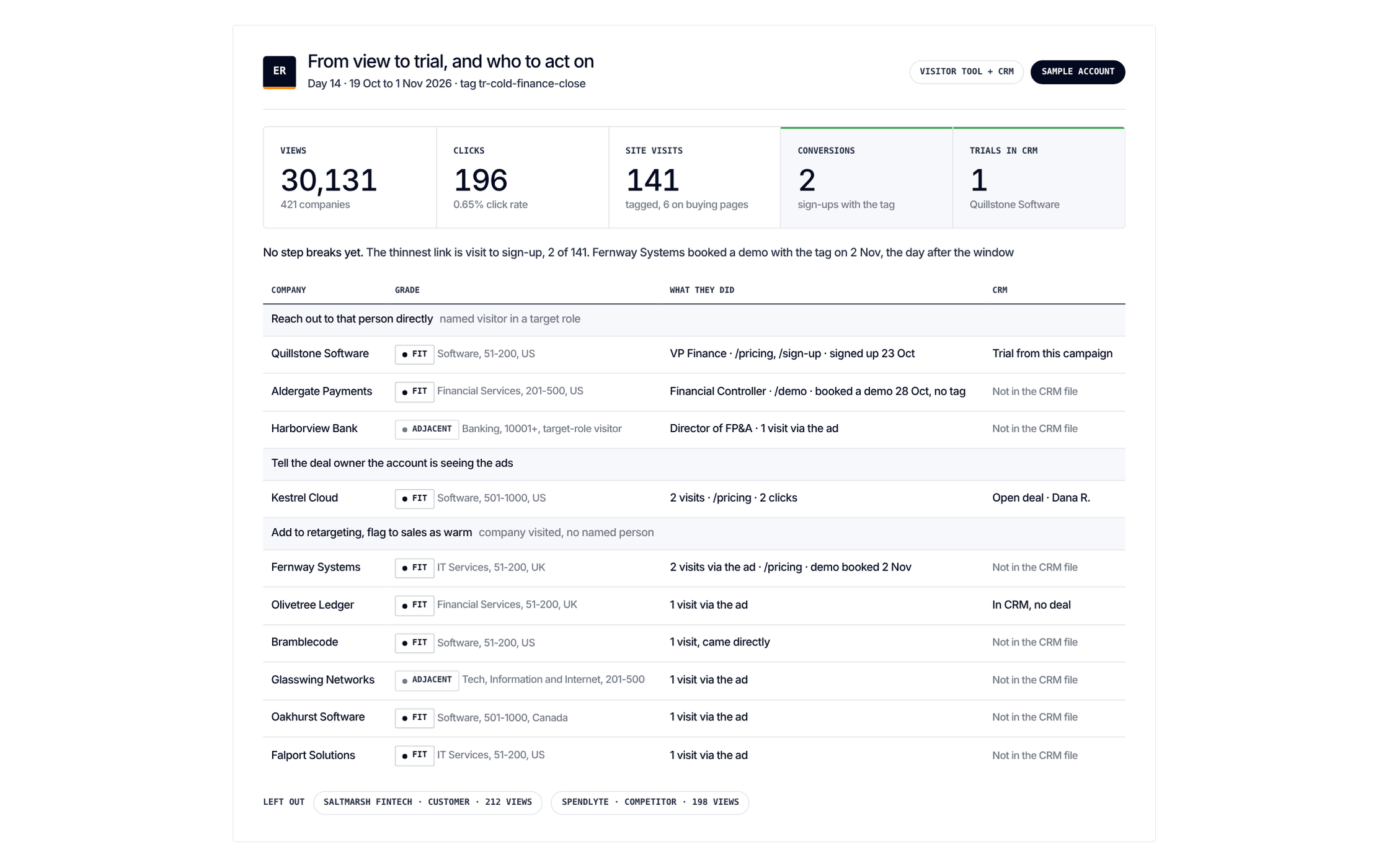
Engagement
Who engaged with the ads and on your site, read as a view-to-trial funnel with the broken step marked.
-
The call
One verdict with a confidence label, up to three fixes with a number to reach by the next read, and up to 10 leads grouped by next step.
The rules it applies
3 rules of the Standard. Each step above leans on one of them. Open a rule to see what it checks and why
- Rule 01Reach and frequency Read frequency and penetration together One number alone doesn't tell you what to fix. 3 scenarios1 skill
- Rule 08Who the budget reaches Check every month who your ads actually reach Campaign totals don't show who the budget actually reached. LinkedIn's demographics report does. 3 scenarios1 skill
- Rule 13From signal to sales Give sales a weekly ranked list of warm accounts, checked against the CRM Hot accounts, ranked, with who engaged and where they sit in the CRM. Never a raw visitor feed. 4 scenarios