


What you get
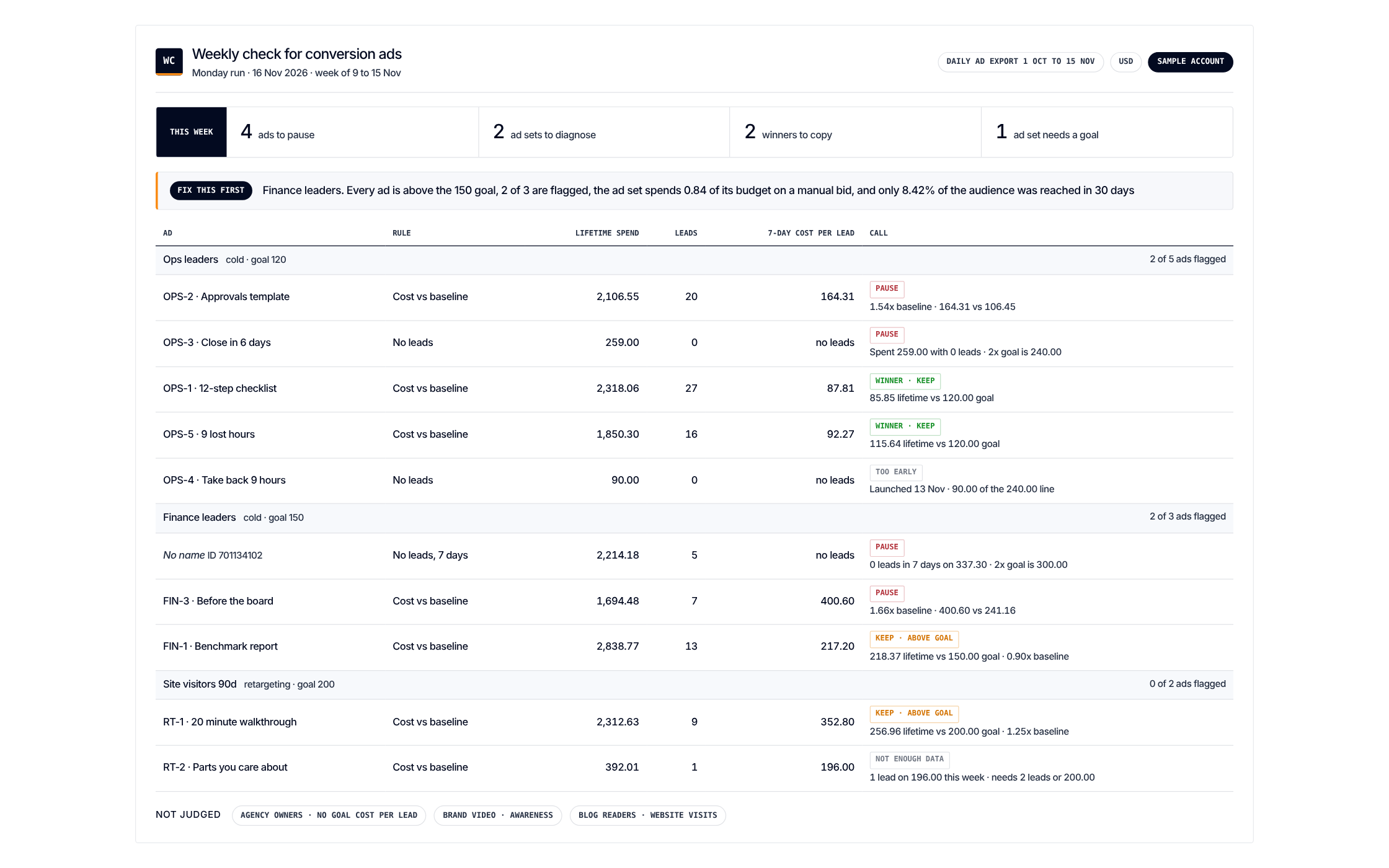
What to pause, what to copy. Every ad against your goal cost per lead
Get it
Paste one prompt. It recommends and changes nothing
Load the Weekly Check for Conversion Ads scenario from https://github.com/demandsense-labs/linkedin-ads-skills/tree/main/conversion-ad-weekly-check and run it on the exports I’ve attached.Load the Weekly Check for Conversion Ads scenario from https://github.com/demandsense-labs/linkedin-ads-skills/tree/main/conversion-ad-weekly-check and run it on my DemandSense workspace. Pull the data through the connector rather than asking me for exports.Rather not paste it? Install it instead
Add it to Claude Code once and call it by name on any export
/plugin install linkedin-ads-skills --marketplace demandsense-labs/linkedin-ads-skillsRead the source on GitHub Skill folder on GitHub
How it runs
6 steps, in order. Each one applies a rule of the Standard, and stops the run when the data can’t carry it
-
Scope
Lead gen and Message ad sets that spent in the last 7 days. Any without a goal cost per lead is skipped.
-
No leads
Flag for pause once the ad has spent twice the goal cost per lead.
-
Expensive leads
Flag for pause when cost per lead reaches 1.5 times the ad set’s own baseline.
-
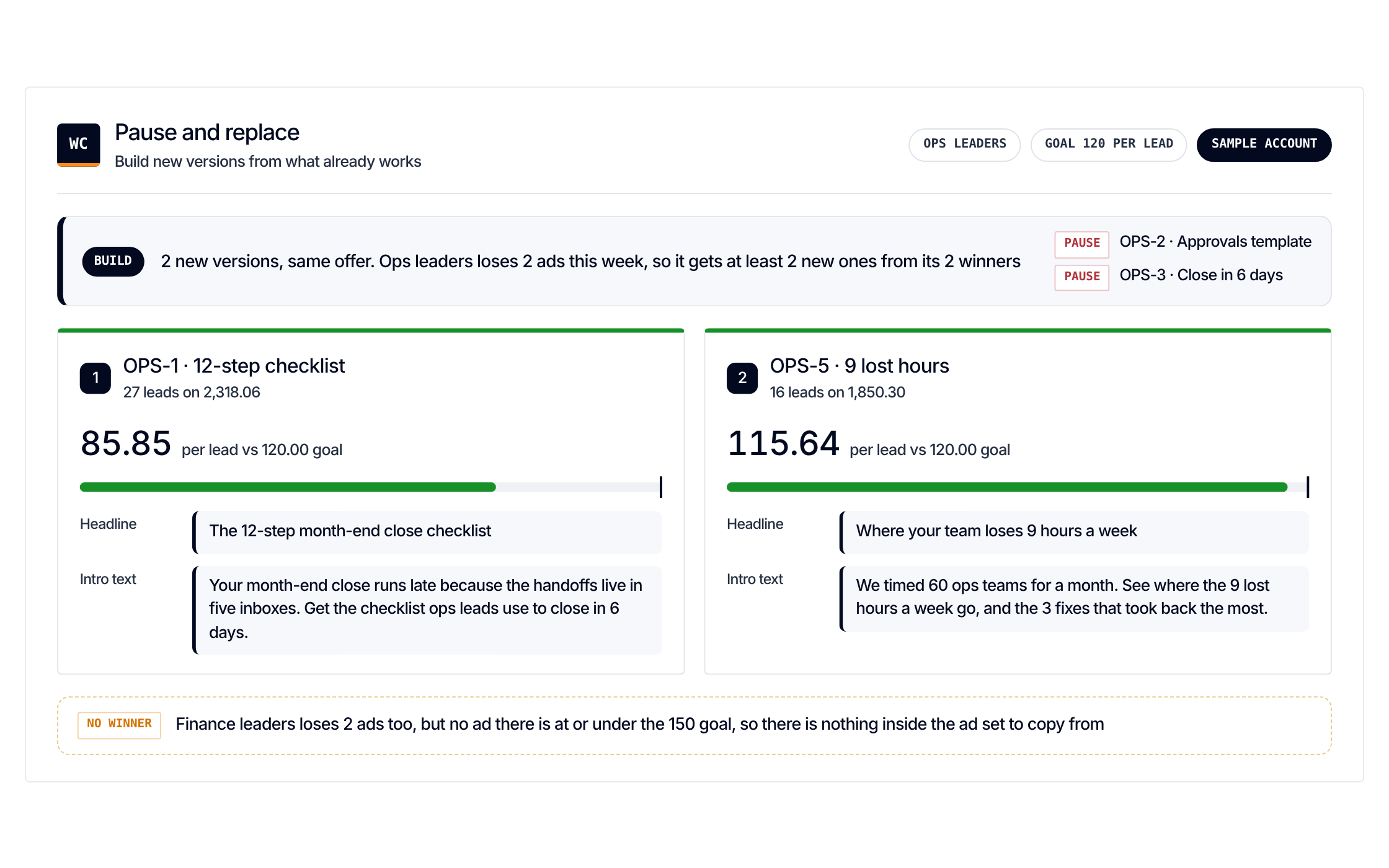
Winners
Ads at or under goal. The top two become the source for new versions with the same offer.
-
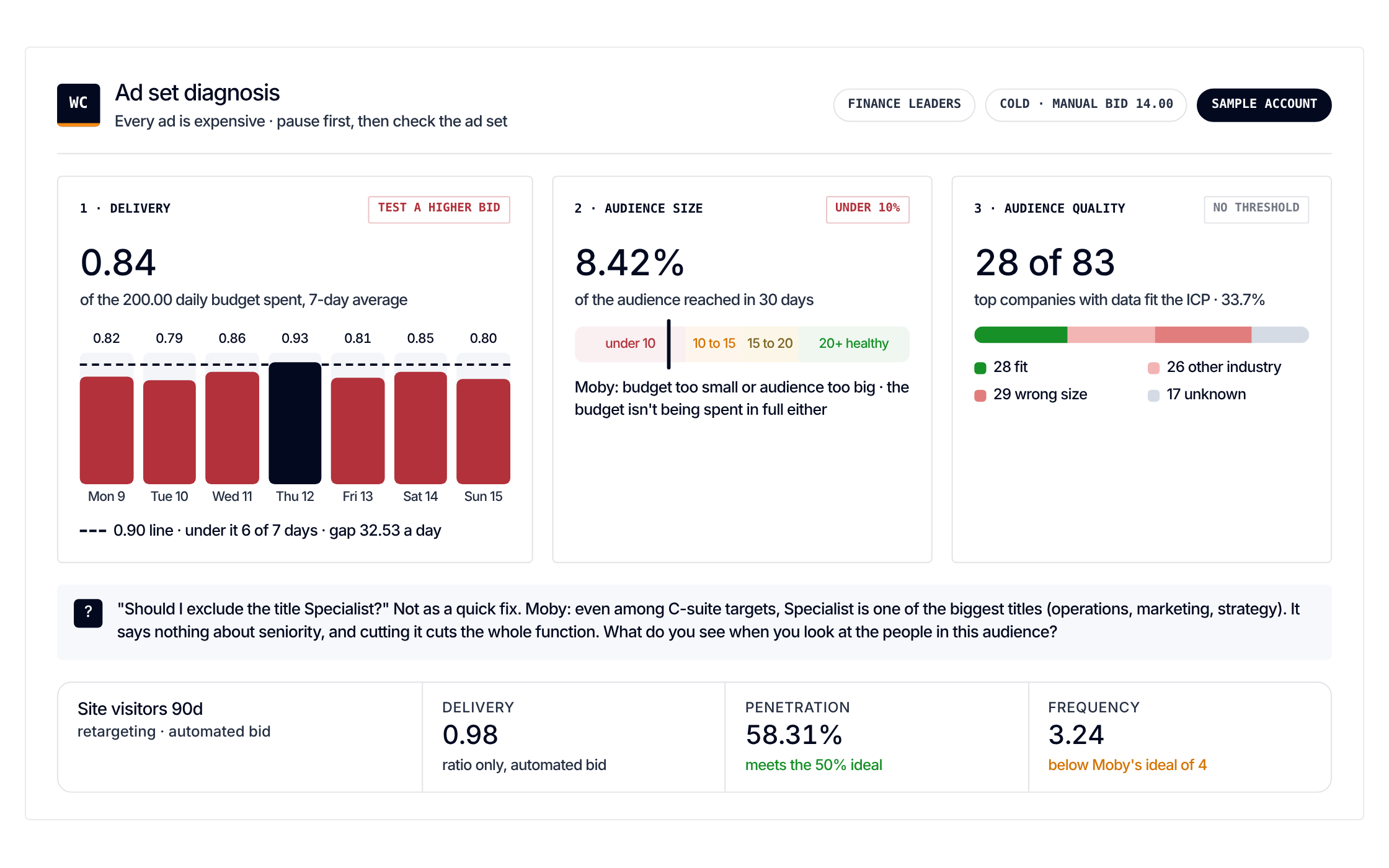
Whole ad set expensive
Check delivery (spend against daily budget, manual bid), audience size (penetration under 10% means the budget is too small or the audience too big; 20% and up is where you want it) and audience quality (share of engaging companies that fit the ICP).
-
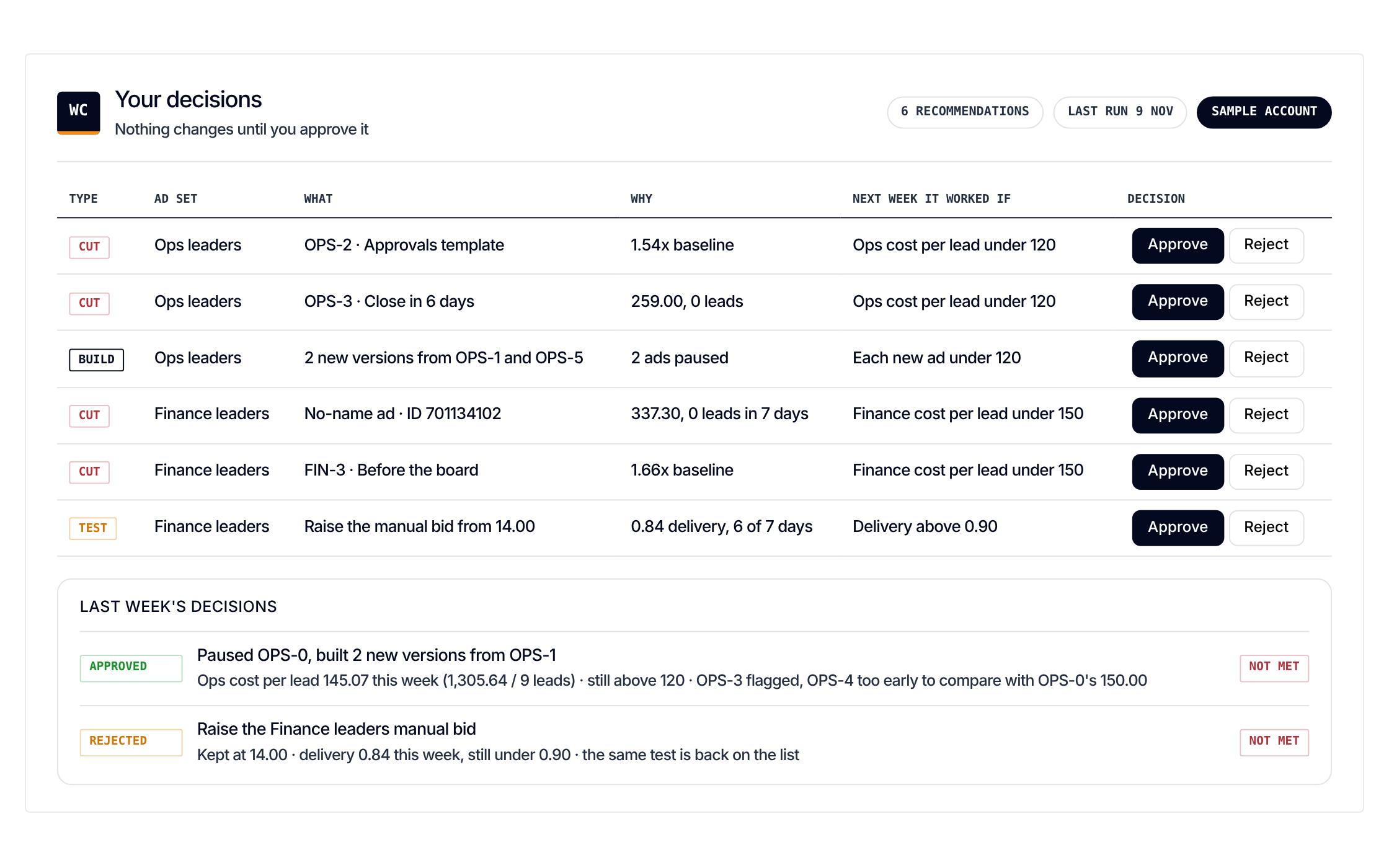
Approve
One recommendation per flagged ad or ad set.
The rules it applies
2 rules of the Standard. Each step above leans on one of them. Open a rule to see what it checks and why
- Rule 01Reach and frequency Read frequency and penetration together One number alone doesn't tell you what to fix. 3 scenarios1 skill
- Rule 11Building the account Start Lead Gen Forms early, then narrow them to recent engagers Open the conversion layer as soon as a warm audience can serve, then tighten it to recent engagers. 1 scenario