


What you get
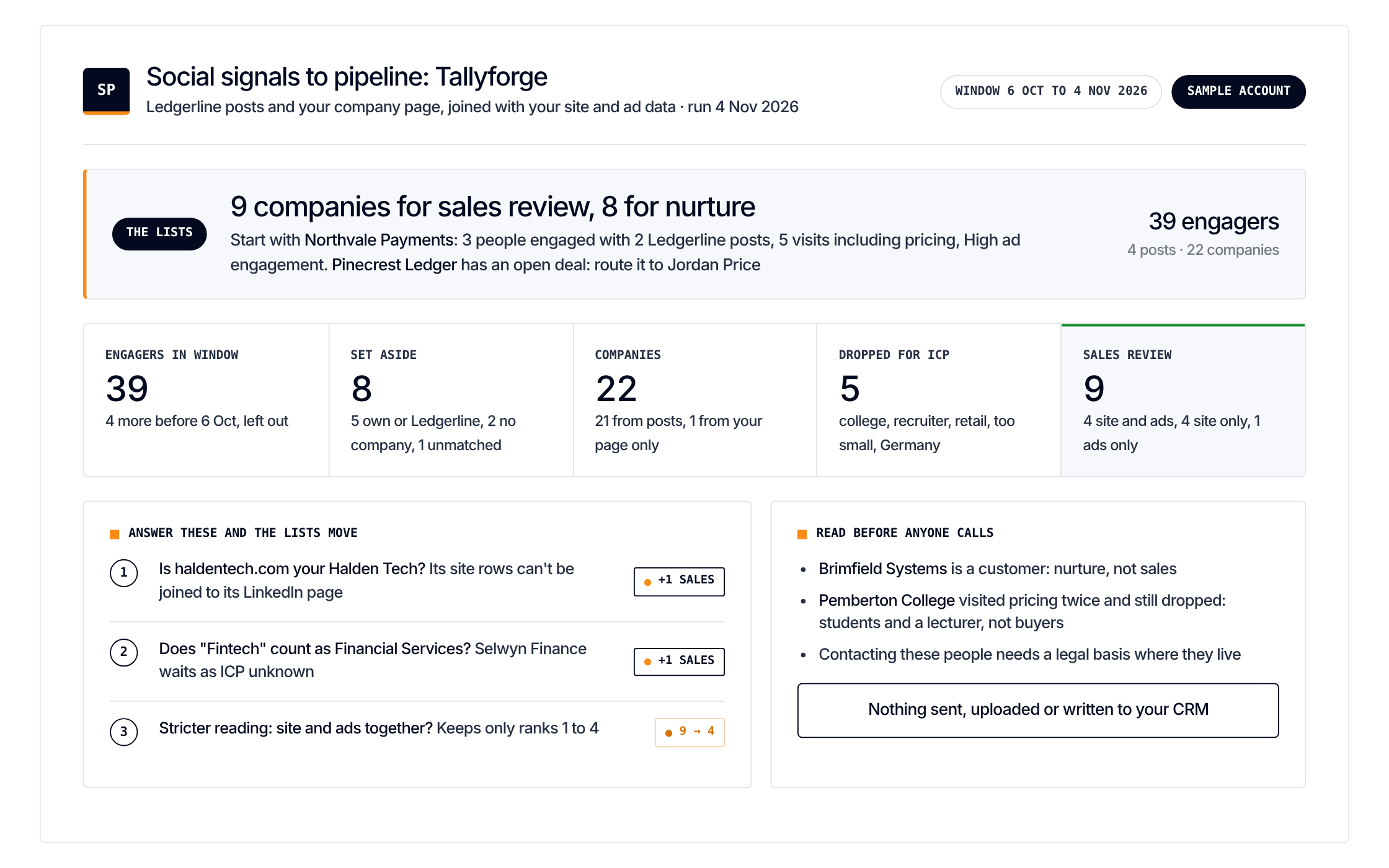
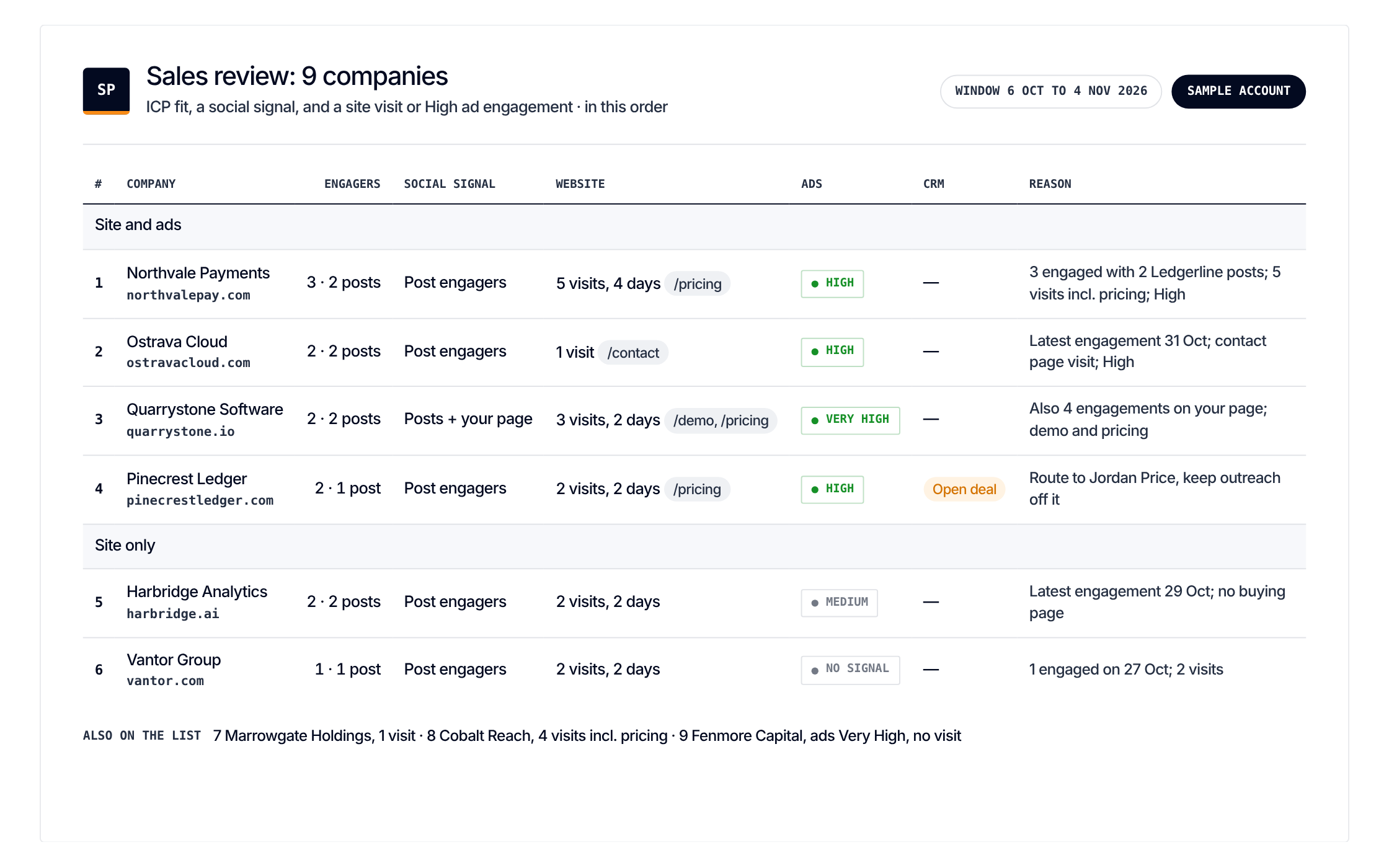
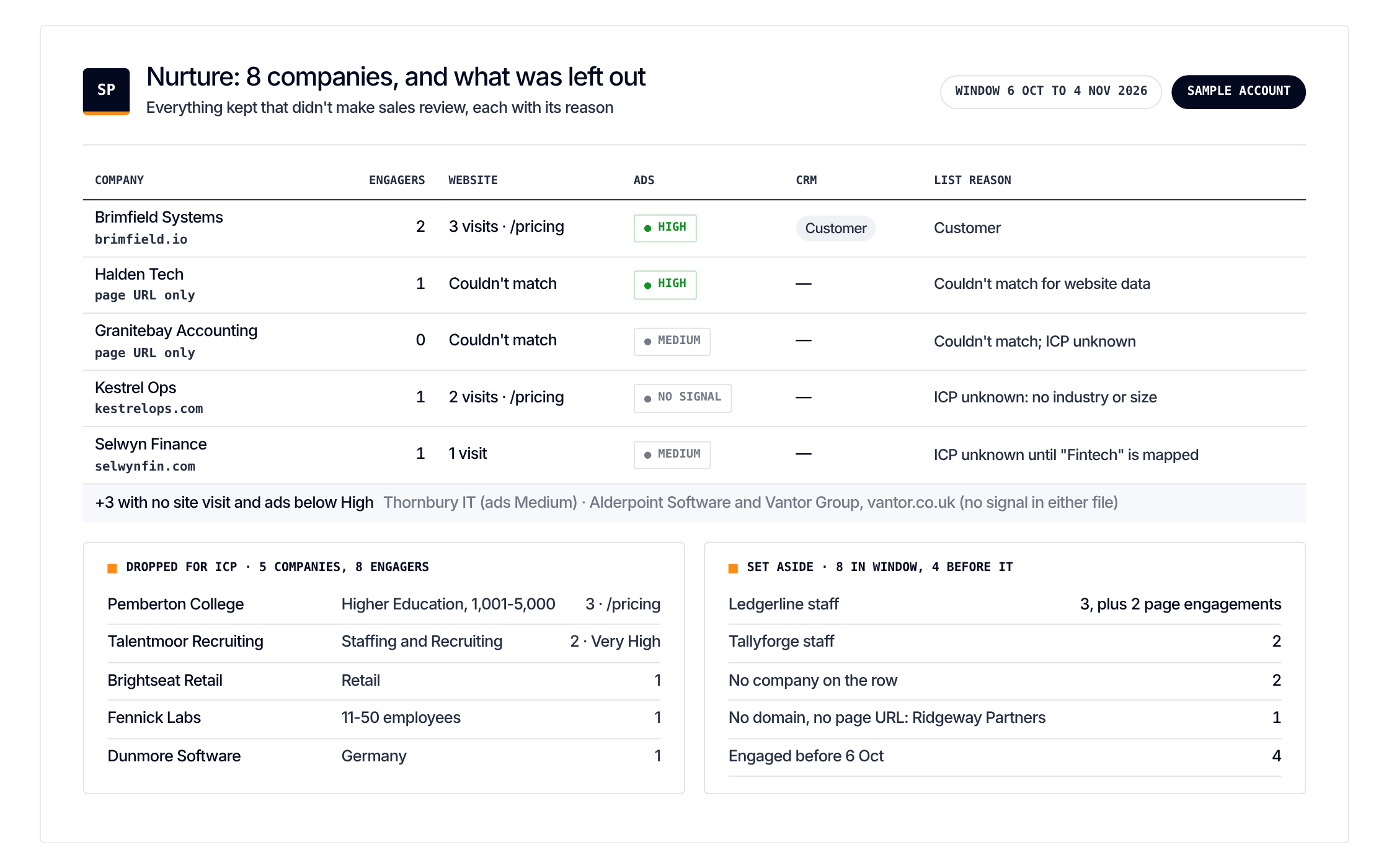
Two lists: sales review and nurture. With a one-line reason per company
Get it
Paste one prompt. It sends nothing and looks no one up
Load the Social Signals to Pipeline scenario from https://github.com/demandsense-labs/linkedin-ads-skills/tree/main/social-signals-to-pipeline and run it on the exports I’ve attached.Load the Social Signals to Pipeline scenario from https://github.com/demandsense-labs/linkedin-ads-skills/tree/main/social-signals-to-pipeline and run it on my DemandSense workspace. Pull the data through the connector rather than asking me for exports.Rather not paste it? Install it instead
Add it to Claude Code once and call it by name on any export
/plugin install linkedin-ads-skills --marketplace demandsense-labs/linkedin-ads-skillsRead the source on GitHub Skill folder on GitHub
How it runs
5 steps, in order. Each one applies a rule of the Standard, and stops the run when the data can’t carry it
-
Pick the source
Posts anywhere on LinkedIn, your company page, or both.
-
Group by company
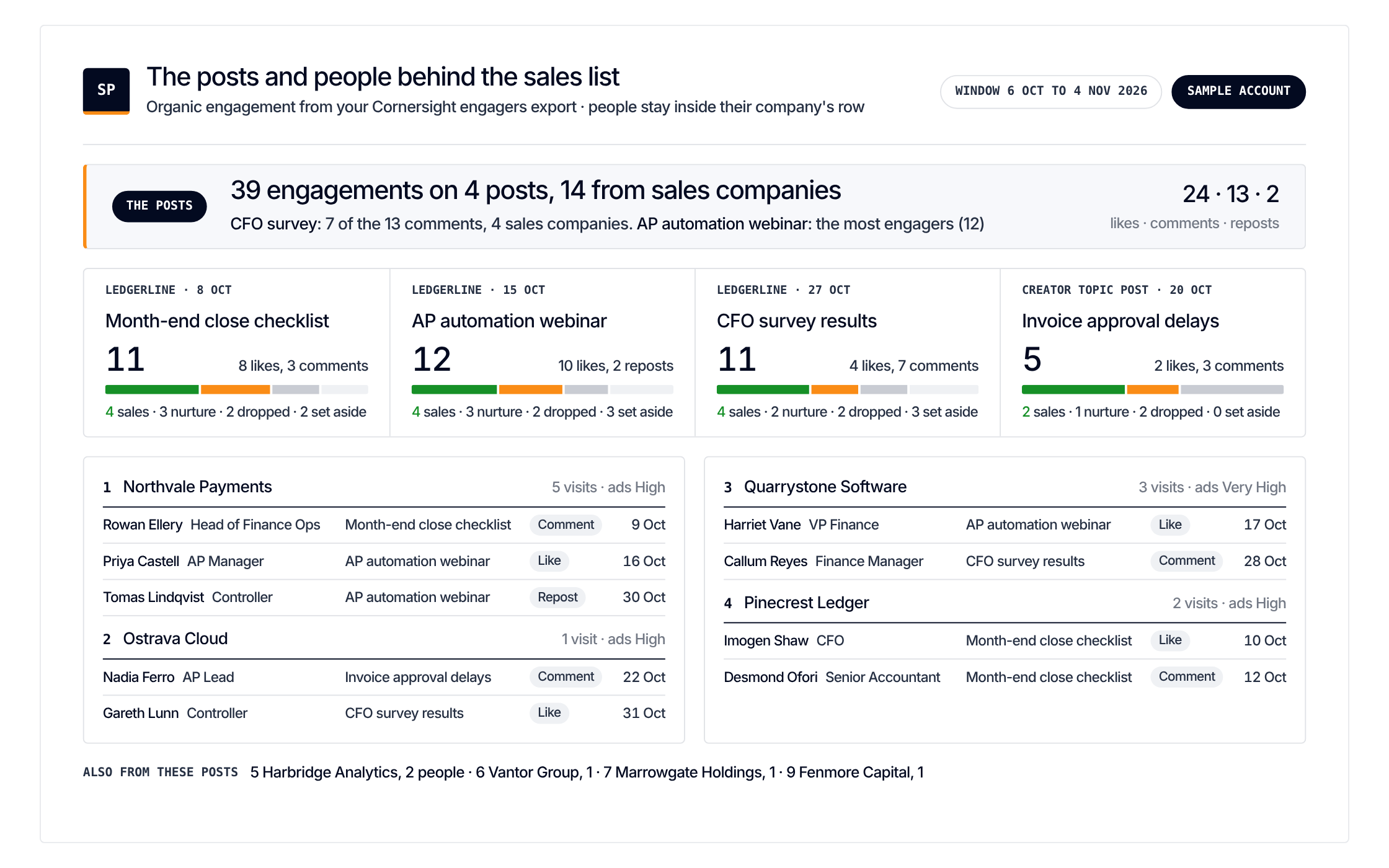
The engagers, grouped by the company they work for.
-
Add your own signals
What each company did with you: website sessions, pricing or demo page views, ad engagement level.
-
Keep the ICP fits
Industries, size, named companies if you have them.
-
Split the lists
Sales review is ICP fit plus the organic signal plus a website visit or high ad engagement. Everyone else goes to nurture. Companies already in pipeline go to the deal owner.
The rules it applies
2 rules of the Standard. Each step above leans on one of them. Open a rule to see what it checks and why
- Rule 12From signal to sales Report exposure, influence and attribution separately Exposed, influenced and attributed are three different claims. 3 scenarios
- Rule 13From signal to sales Give sales a weekly ranked list of warm accounts, checked against the CRM Hot accounts, ranked, with who engaged and where they sit in the CRM. Never a raw visitor feed. 4 scenarios