


What you get
Who you pay to reach, against who buys. With the titles to exclude and the calls to approve
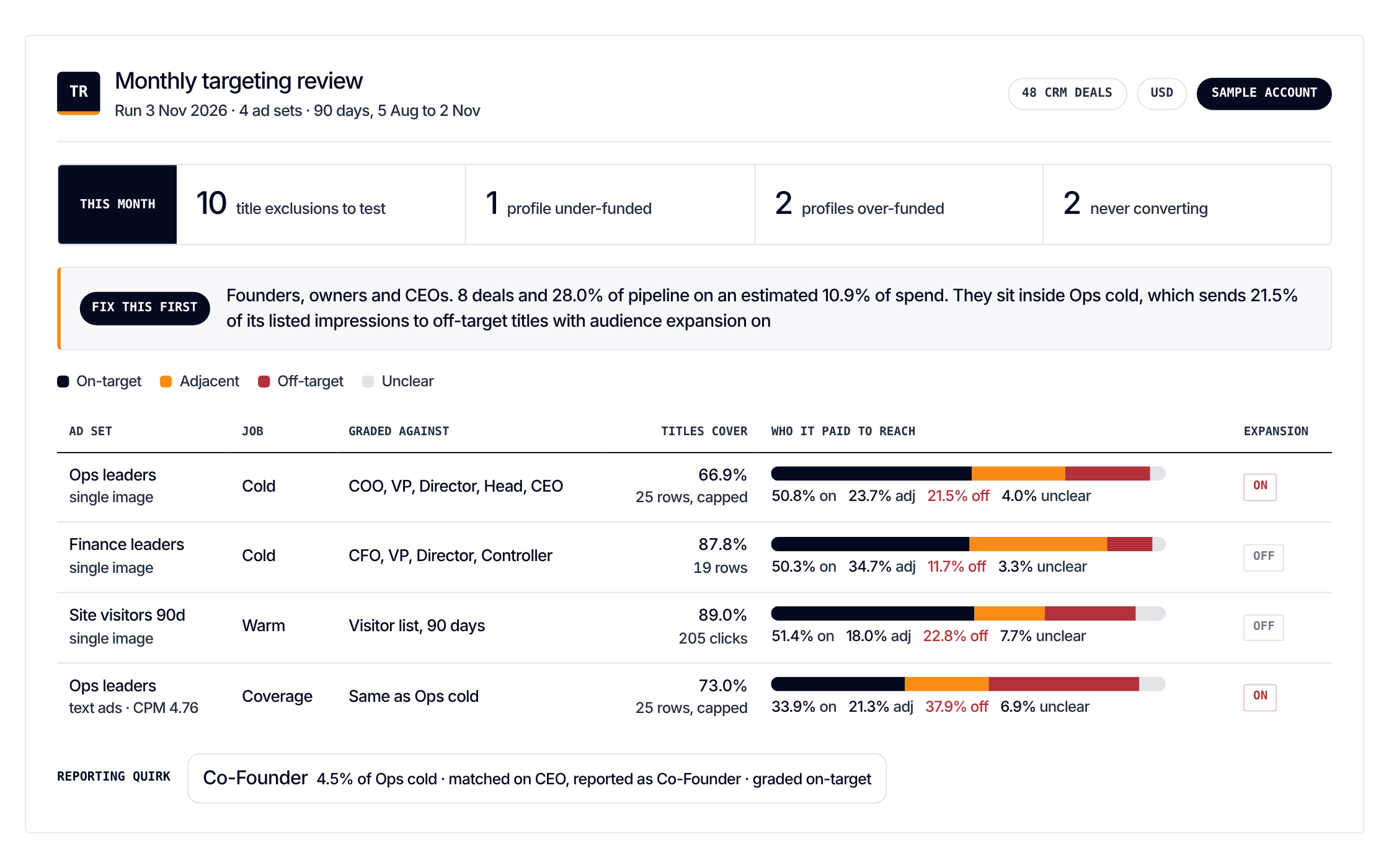
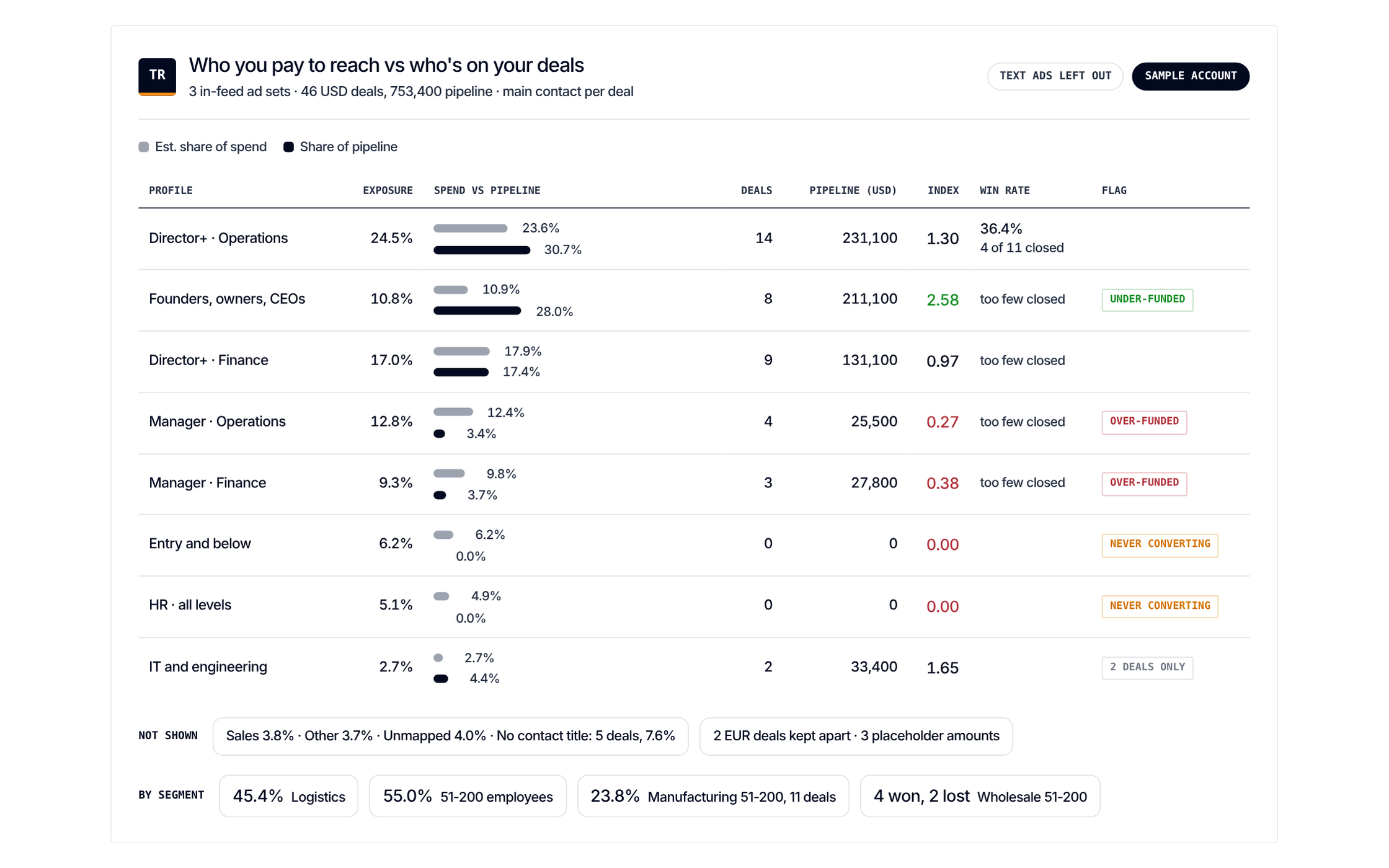
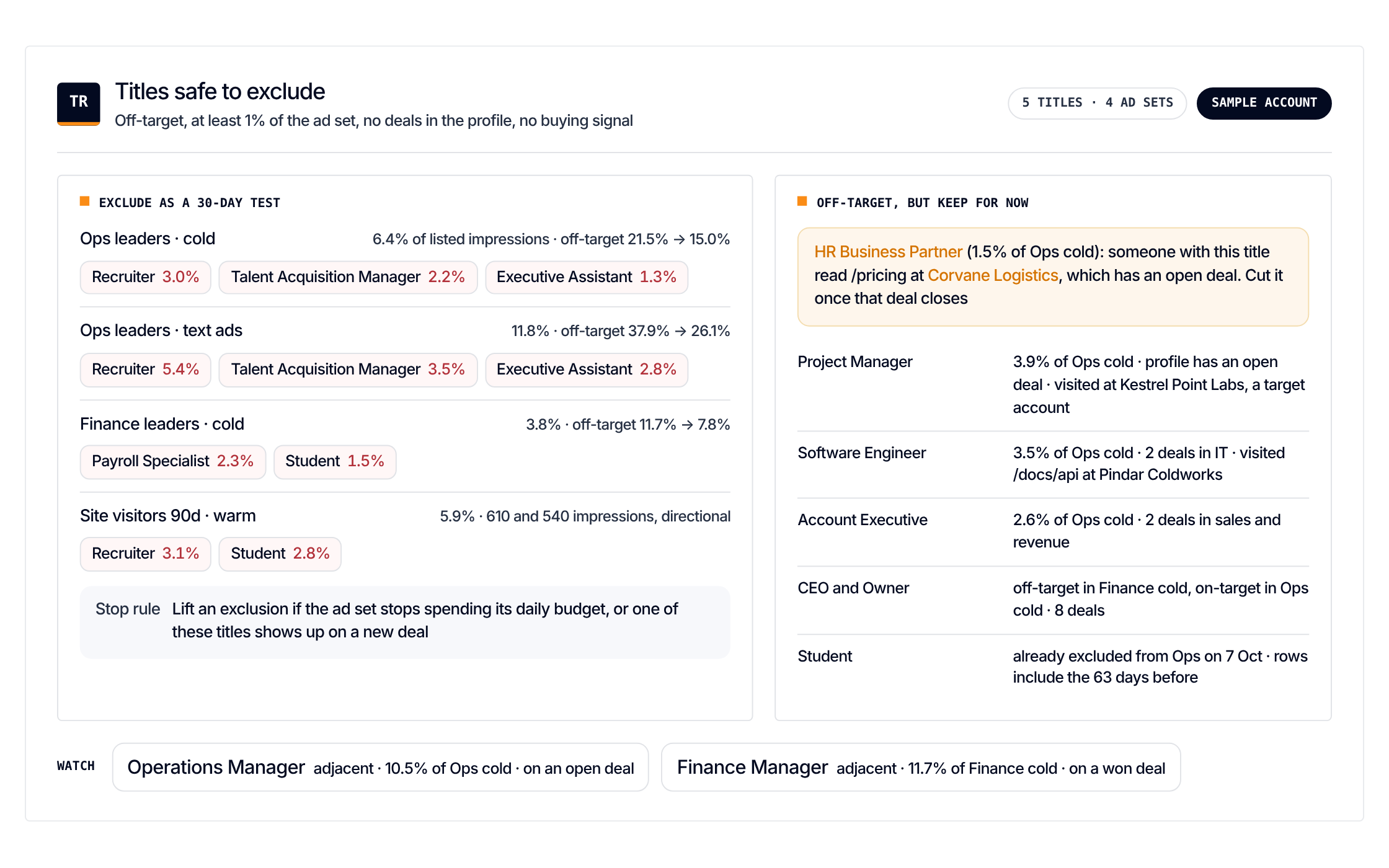
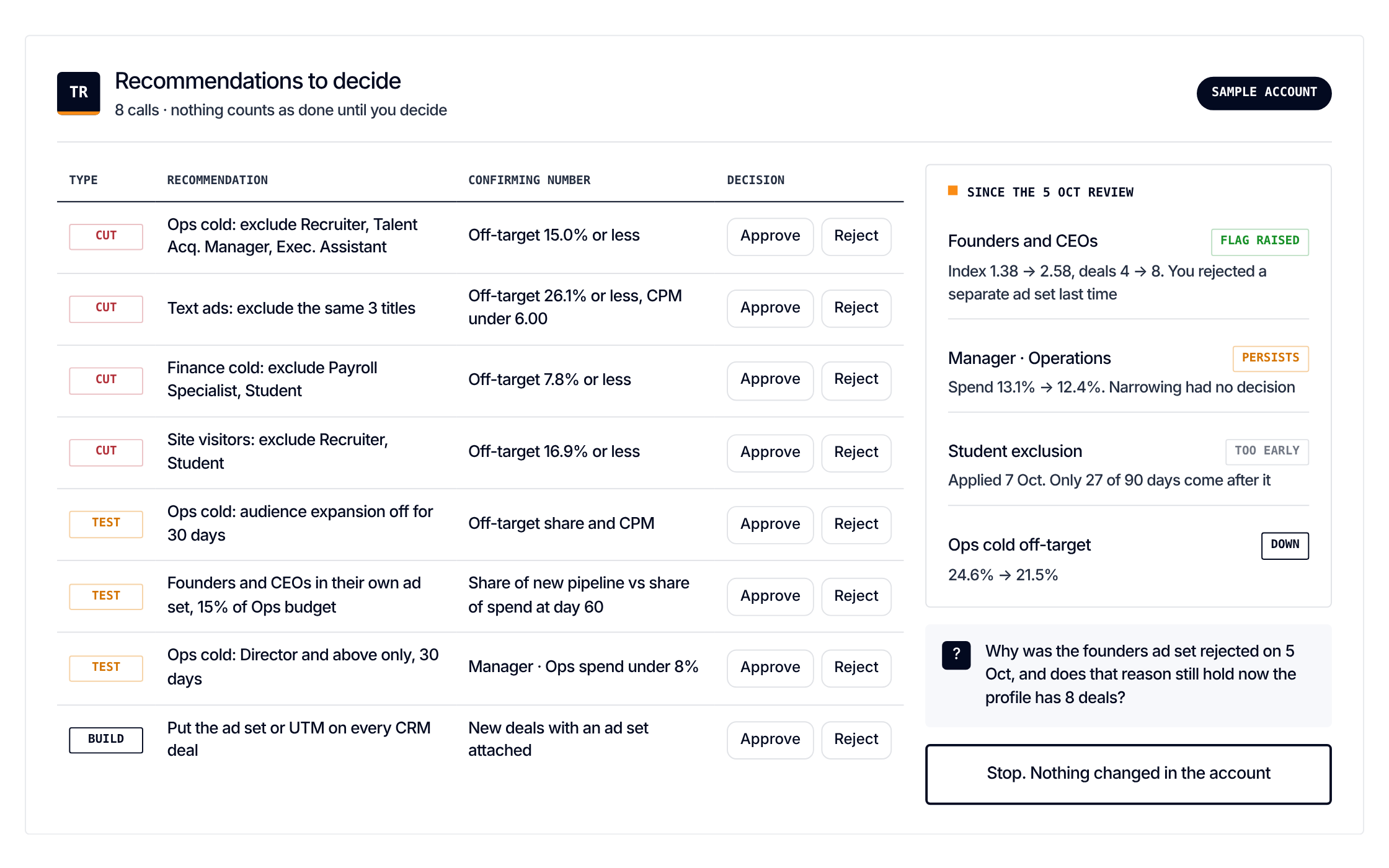
Get it
Paste one prompt. It reads your exports and changes nothing
Load the Targeting vs who actually buys scenario from https://github.com/demandsense-labs/linkedin-ads-skills/tree/main/monthly-targeting-review and run it on the exports I’ve attached.Load the Targeting vs who actually buys scenario from https://github.com/demandsense-labs/linkedin-ads-skills/tree/main/monthly-targeting-review and run it on my DemandSense workspace. Pull the data through the connector rather than asking me for exports.Rather not paste it? Install it instead
Add it to Claude Code once and call it by name on any export
/plugin install linkedin-ads-skills --marketplace demandsense-labs/linkedin-ads-skillsRead the source on GitHub Skill folder on GitHub
How it runs
6 steps, in order. Each one applies a rule of the Standard, and stops the run when the data can’t carry it
-
Monthly
Job title audit
Who each campaign paid to reach, graded against that campaign's own targeting.
-
Read the deal side
The buying-committee list is the base, titles on deal contacts are evidence (they're often patchy).
-
Group deals by profile
Pipeline created, win rate, deal size.
-
Spend against pipeline
Compare each profile's share of spend with its share of pipeline. Flag profiles that get too much budget, too little, or never convert.
-
Recommend
Targeting, exclusion and budget changes per campaign. Before cutting a title, check whether it sits in an account showing buying signals.
-
Weekly
Light check
Is new spend leaking to off-target titles?