


What you get
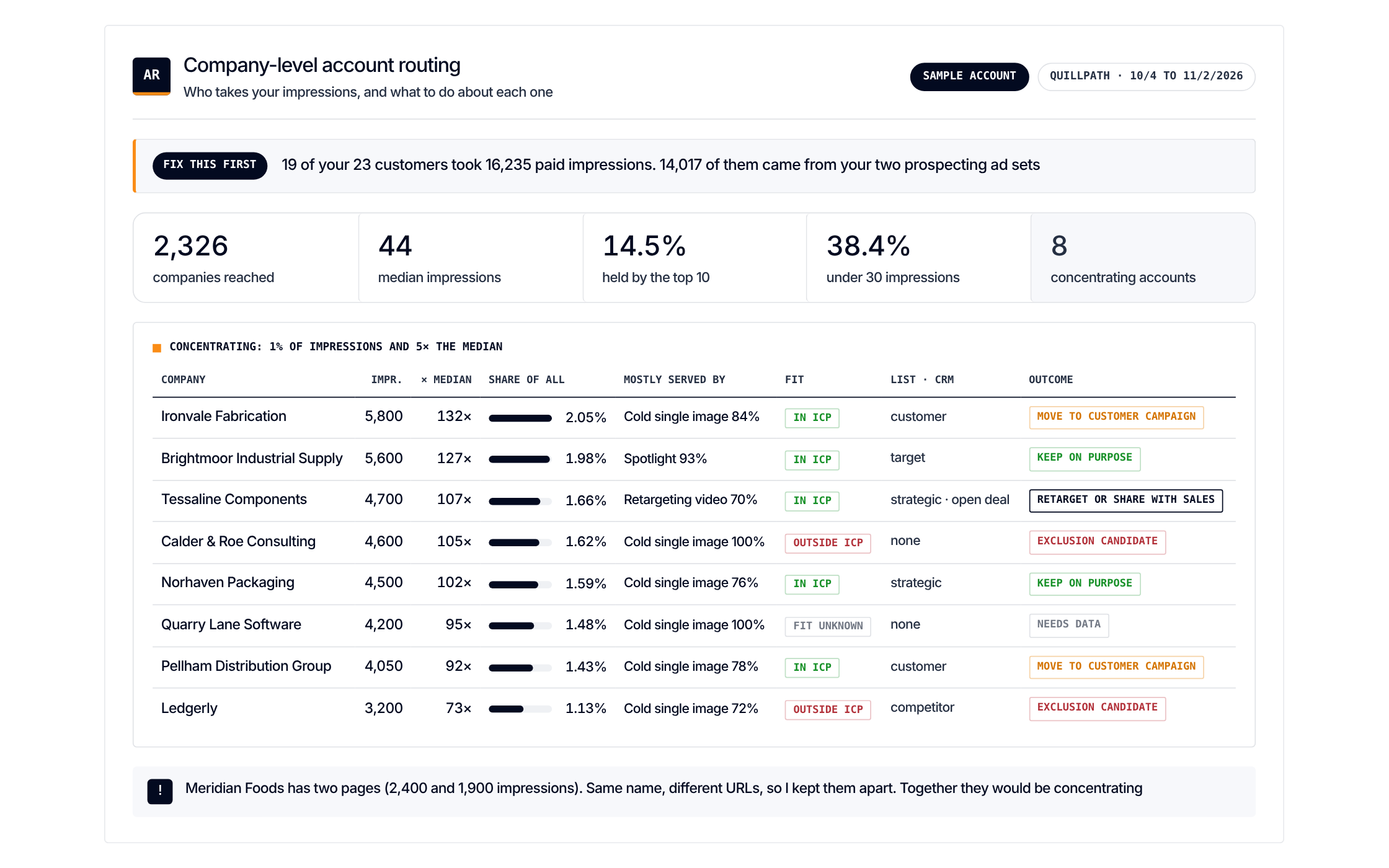
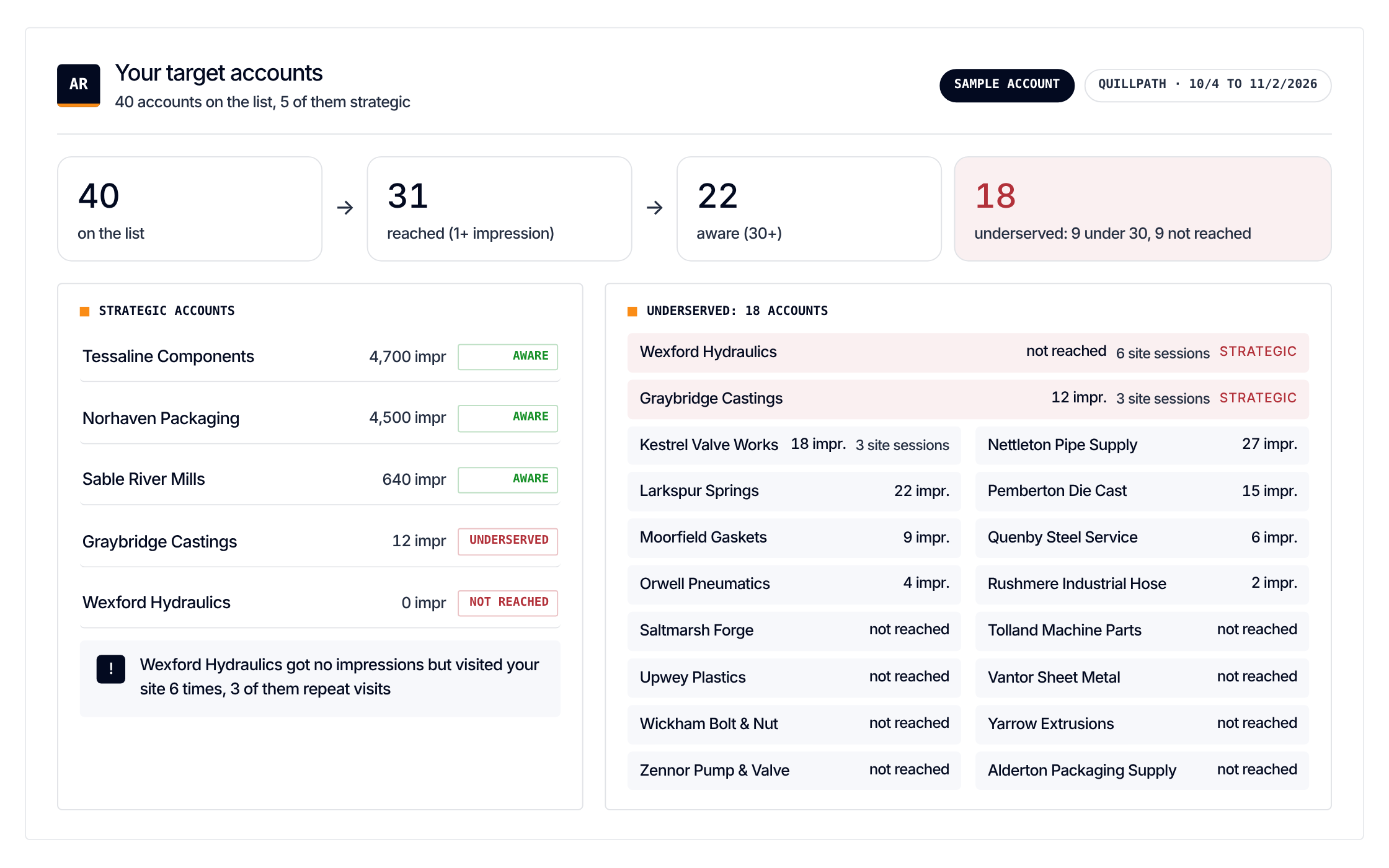
Who takes your impressions. And what to do about each account
Get it
Paste one prompt. It reads your exports and changes nothing
Load the Company-level account routing scenario from https://github.com/demandsense-labs/linkedin-ads-skills/tree/main/company-account-routing and run it on the exports I’ve attached.Load the Company-level account routing scenario from https://github.com/demandsense-labs/linkedin-ads-skills/tree/main/company-account-routing and run it on my DemandSense workspace. Pull the data through the connector rather than asking me for exports.Rather not paste it? Install it instead
Add it to Claude Code once and call it by name on any export
/plugin install linkedin-ads-skills --marketplace demandsense-labs/linkedin-ads-skillsRead the source on GitHub Skill folder on GitHub
How it runs
5 steps, in order. Each one applies a rule of the Standard, and stops the run when the data can’t carry it
-
Coverage
Which companies get most of the impressions, which are underserved, and whether the campaign reaches the companies it meant to target.
-
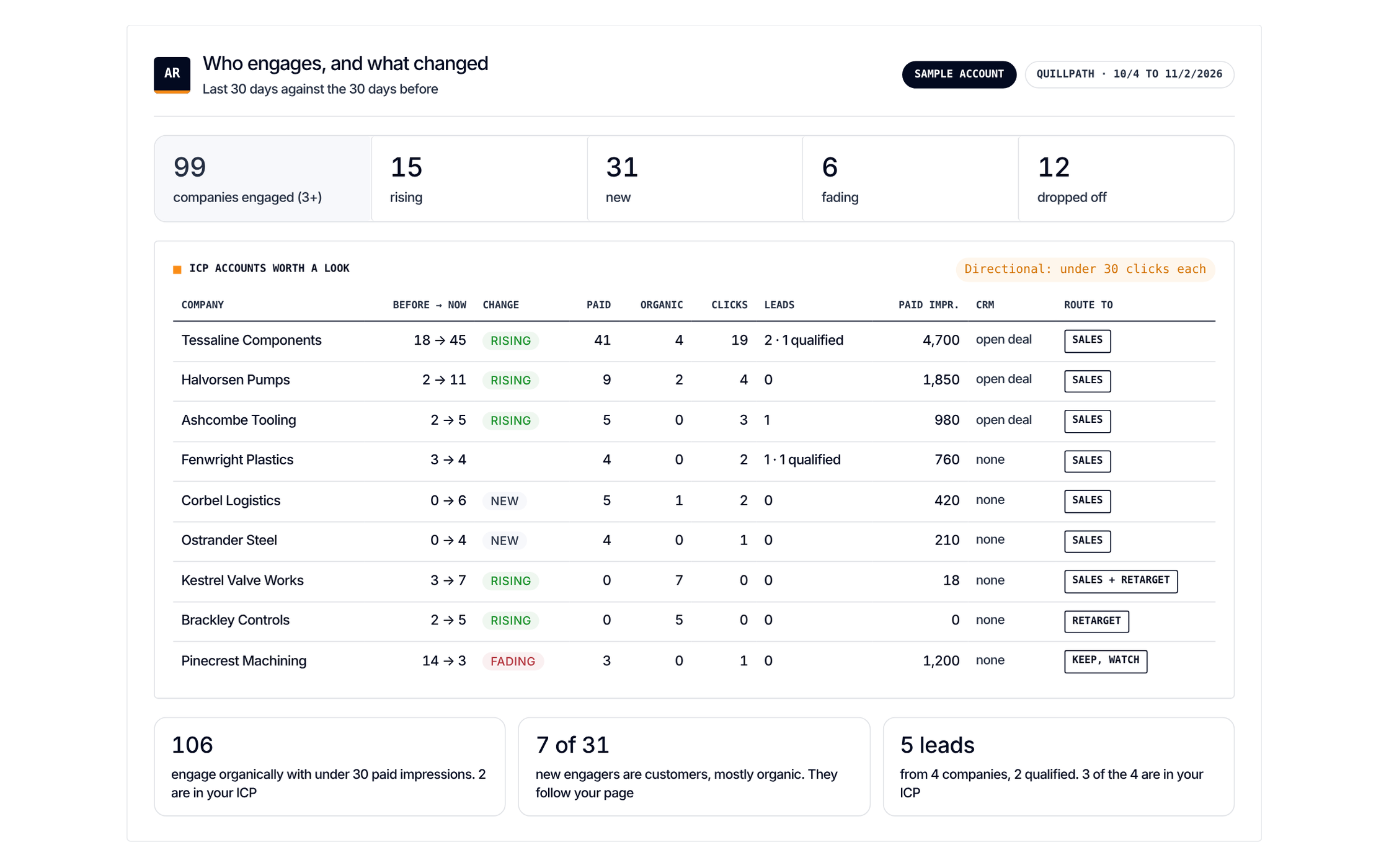
Engagement
Which companies engage, which don't, and how that changes over time. Flag accounts for retargeting or sales outreach.
-
Spend check
Is the campaign spending on existing customers, closed-lost or open-deal accounts?
-
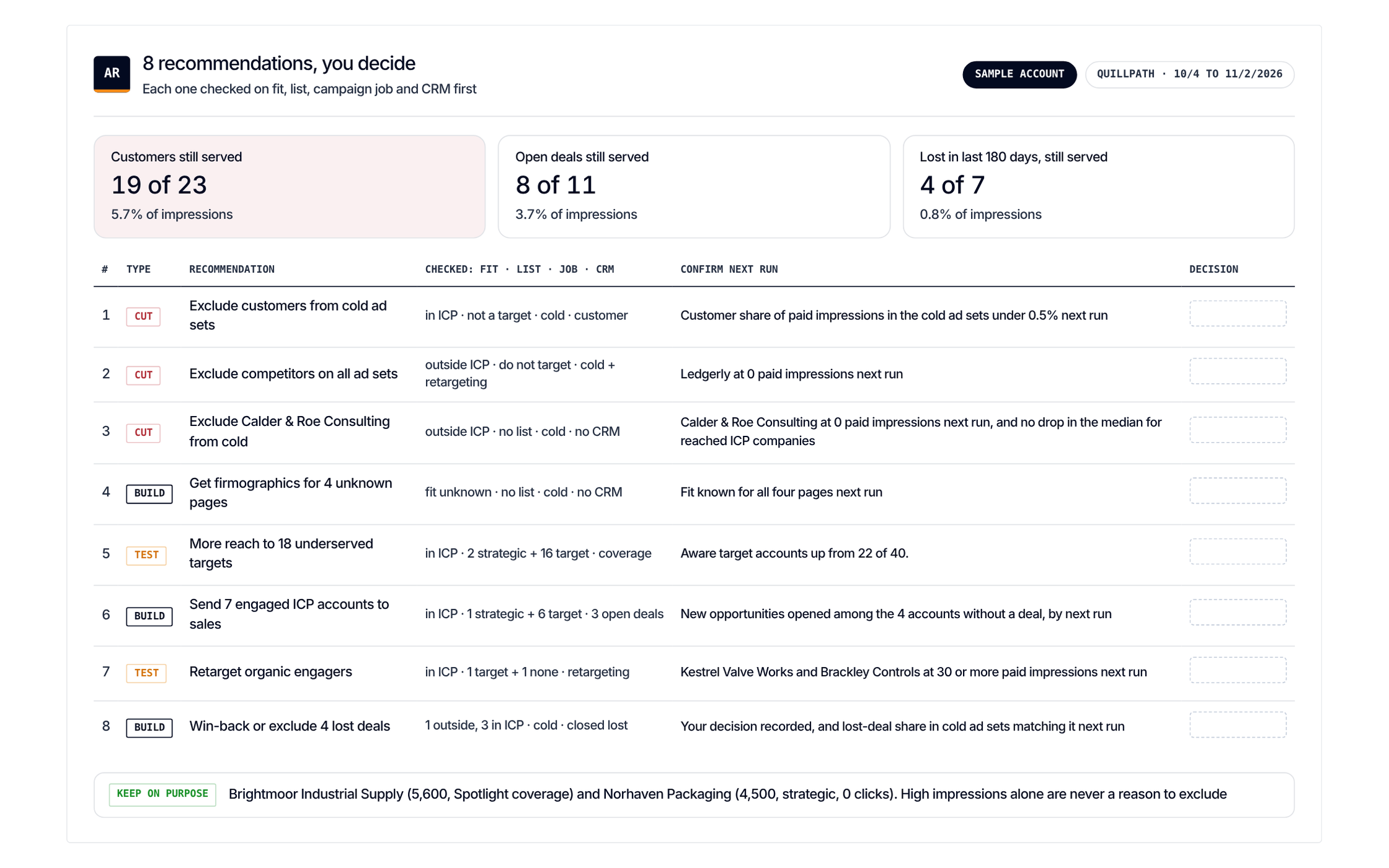
Recommend
Dynamic exclusion audiences, dedicated campaigns for some accounts, or more segmentation.
-
Review before any change
Check every recommendation against the ICP, account priorities and strategy. Nothing is excluded automatically.