


What you get
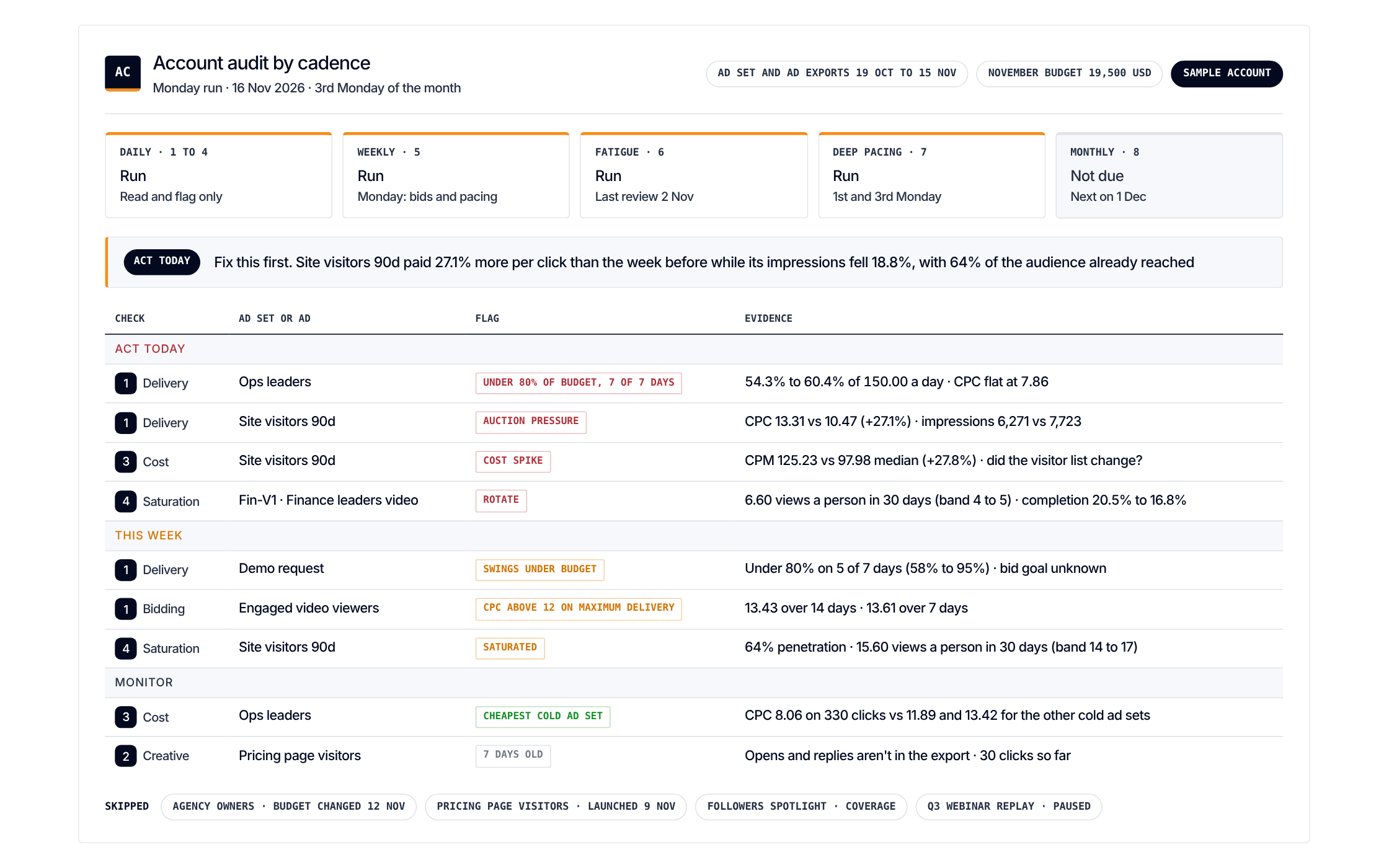
Each check on its own cadence. And only the flags that need you today
Get it
Paste one prompt. It reads your exports and changes nothing
Load the Account audit by cadence scenario from https://github.com/demandsense-labs/linkedin-ads-skills/tree/main/account-audit-by-cadence and run it on the exports I’ve attached.Load the Account audit by cadence scenario from https://github.com/demandsense-labs/linkedin-ads-skills/tree/main/account-audit-by-cadence and run it on my DemandSense workspace. Pull the data through the connector rather than asking me for exports.Rather not paste it? Install it instead
Add it to Claude Code once and call it by name on any export
/plugin install linkedin-ads-skills --marketplace demandsense-labs/linkedin-ads-skillsRead the source on GitHub Skill folder on GitHub
How it runs
5 steps, in order. Each one applies a rule of the Standard, and stops the run when the data can’t carry it
-
Daily
Daily: read and flag
Bidding and delivery, how ads engage, acquisition costs, audience saturation (frequency per person over 30 and 90 days).
-
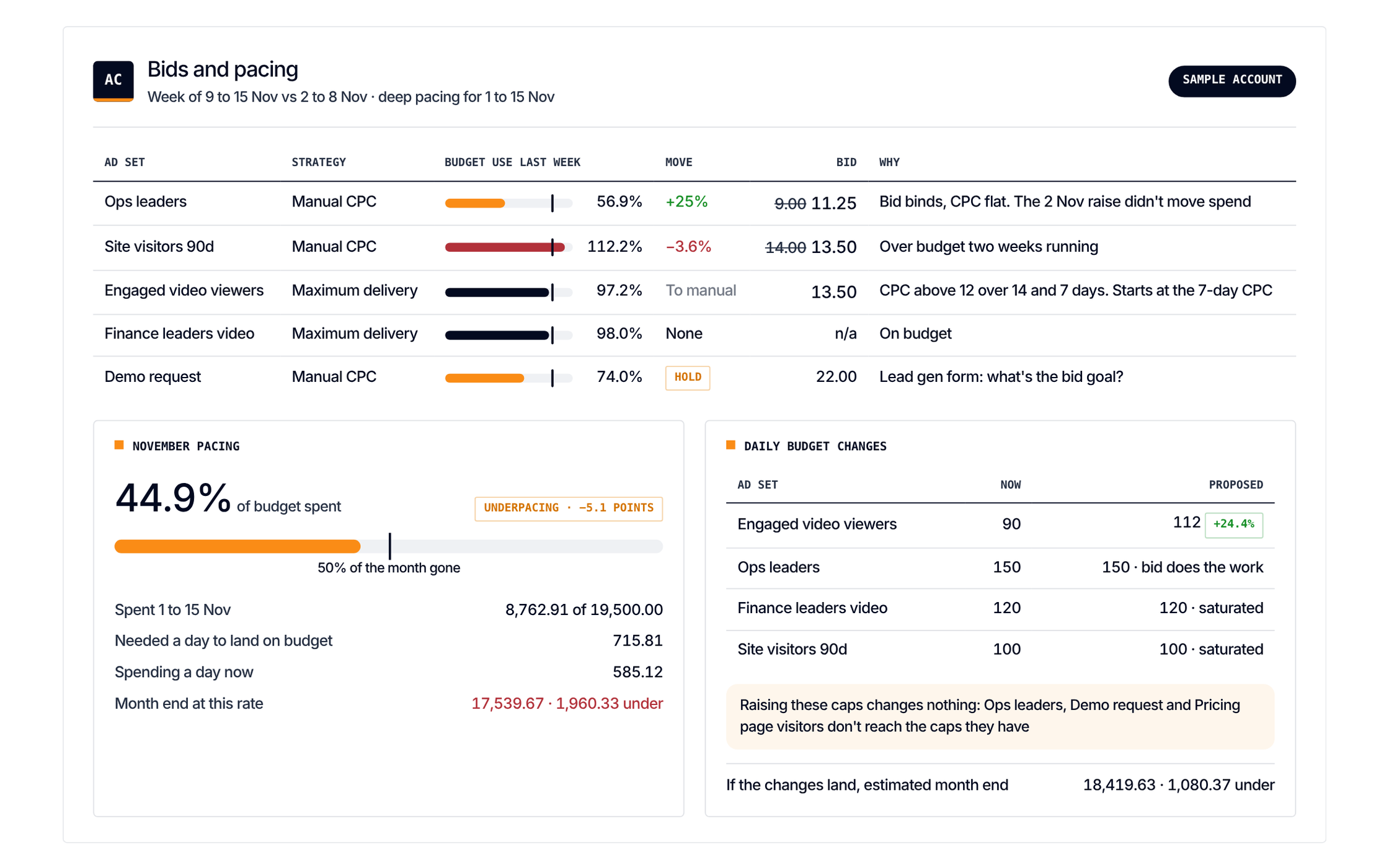
Weekly
Weekly: adjust
Bid and pacing adjustments, week-over-week trends, delivery fixes.
-
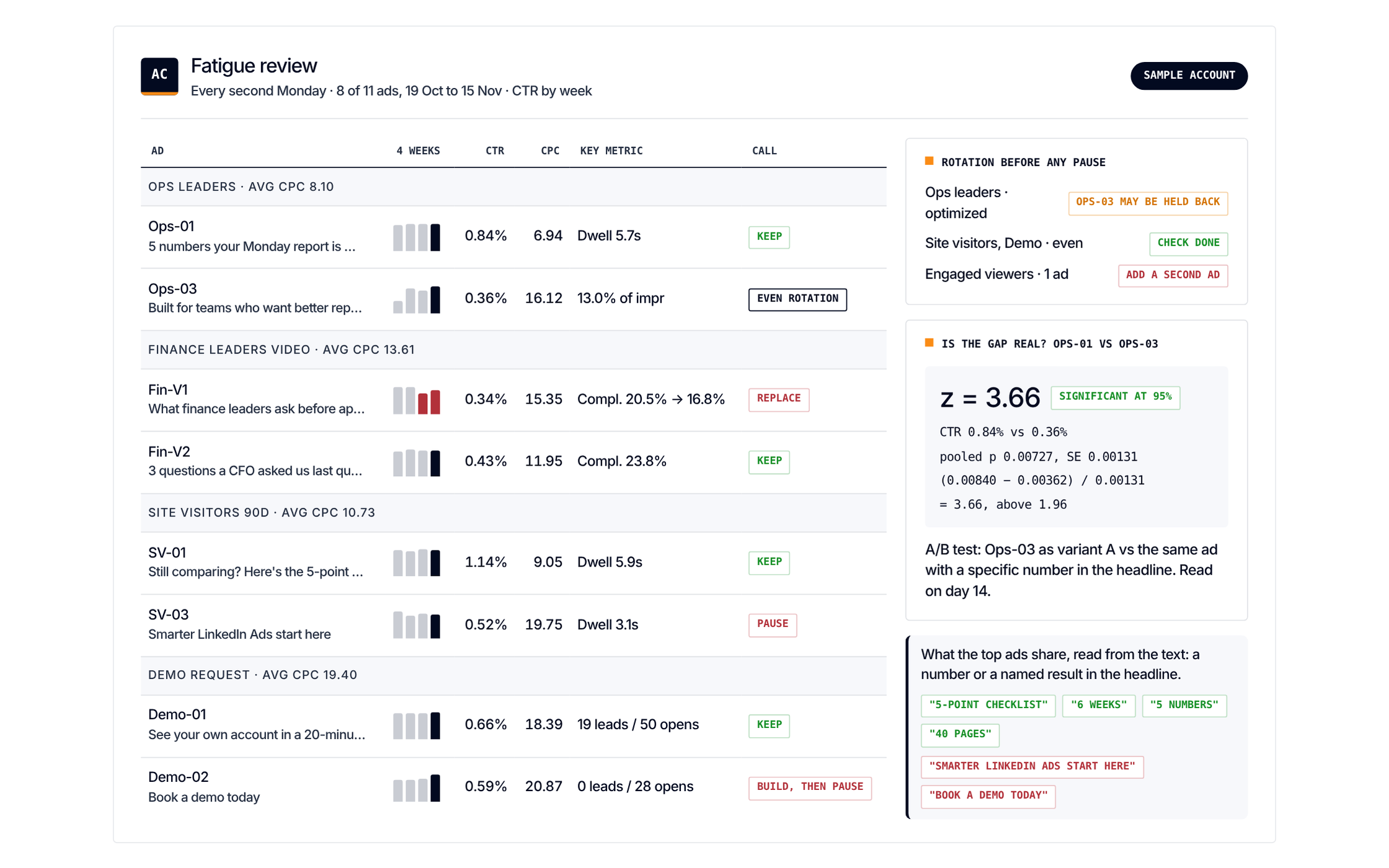
Every two weeks
Every two weeks: fatigue and pacing
Ad fatigue (pause, scale, new tests with 2 to 3 variations per ad set) and a pacing check against the monthly target (within 5%).
-
Monthly
Monthly: move the budget
Review the budget and move it between campaigns, ad sets and funnel stages.
-
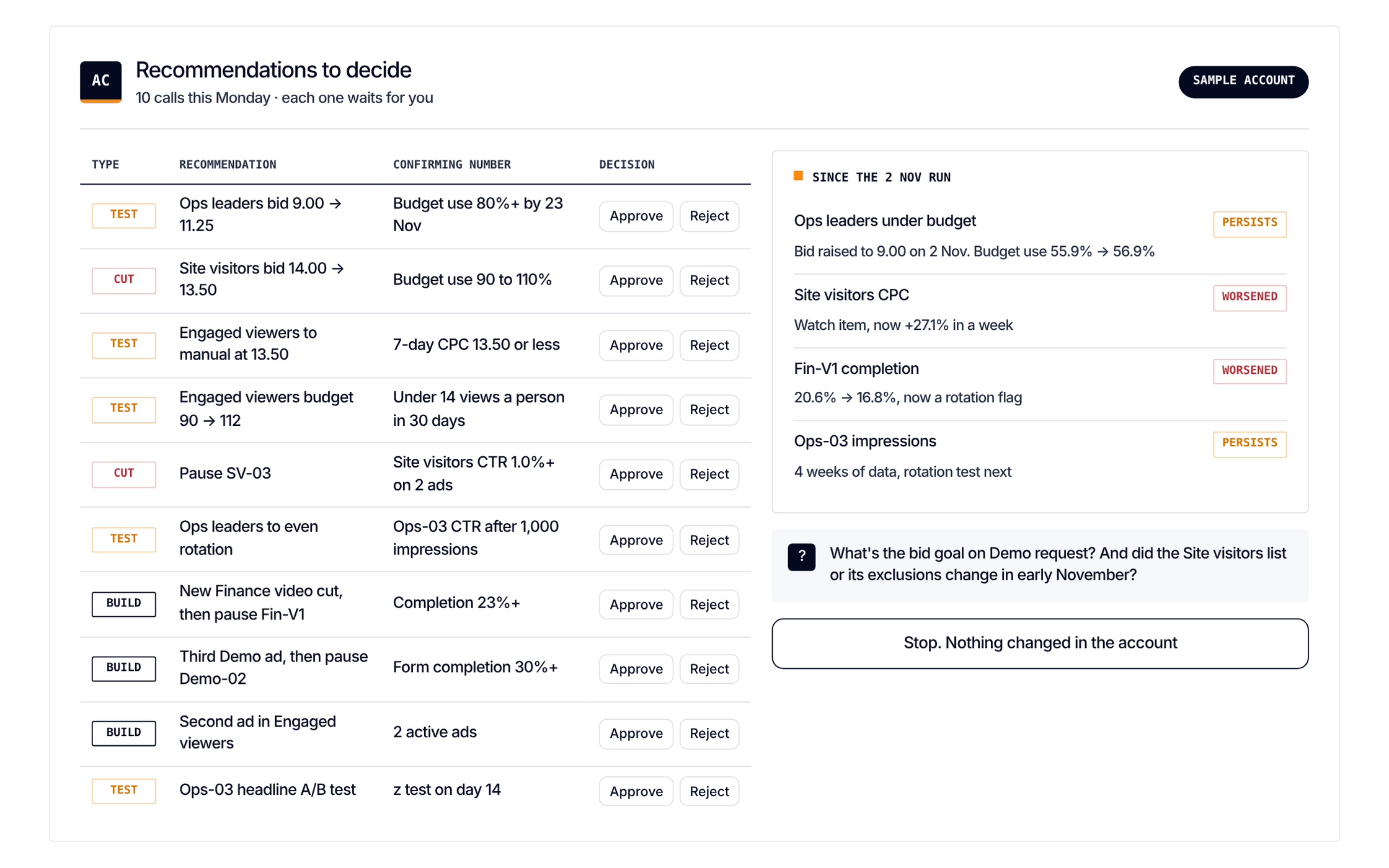
Approve
Every change is a recommendation the specialist approves and applies in Campaign Manager.